


 23.11.2026
 1 görüntülenme
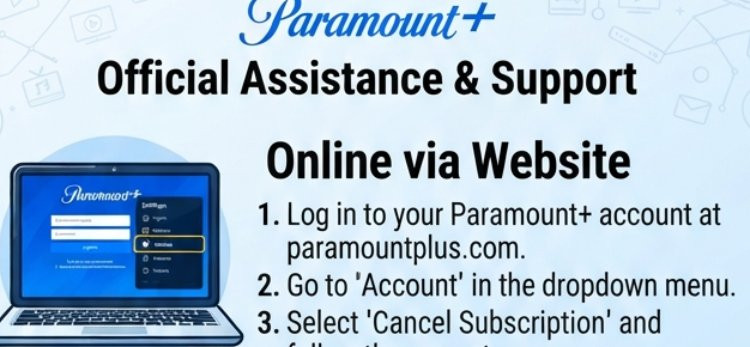
Managing your Paramount Plus account properly helps ✔1-(833) 626-5617 (UK) you control your subscription, update personal information, check payment details ✔1-(833) 626-5617 (UK), and maintain access to your favorite entertainment. Whether you want to change ✔1-(833) 626-5617 (UK) your password, update billing information, or cancel your membership, understanding the account ✔1-(833) 626-5617 (UK) settings makes the process easier.
How to Access Paramount Plus Account Settings
To manage your Paramount Plus account, ✔1-(833) 626-5617 (UK) visit the official website and sign in using your registered email address ✔1-(833) 626-5617 (UK) and password.
After logging in, ✔1-(833) 626-5617 (UK) open your profile or account section. Depending on your subscription and location, ✔1-(833) 626-5617 (UK) you may find options for managing:
Personal ✔1-(833) 626-5617 (UK) account information.
Email address ✔1-(833) 626-5617 (UK) and password.
Subscription plan ✔1-(833) 626-5617 (UK) and renewal details.
Payment methods and billing information.
Profiles and viewing preferences ✔1-(833) 626-5617 (UK).
Privacy and communication settings ✔1-(833) 626-5617 (UK).
Some account options may differ depending ✔1-(833) 626-5617 (UK) on whether you subscribed directly or through a third-party provider.
How to Update Your Paramount Plus Account Information
If you want to make changes to ✔1-(833) 626-5617 (UK) your account, follow these general instructions:
Open the Paramount Plus ✔1-(833) 626-5617 (UK) website.
Sign in using ✔1-(833) 626-5617 (UK) your registered credentials.
Navigate to ✔1-(833) 626-5617 (UK) your account settings.
Select the information you want to update.
Enter the new ✔1-(833) 626-5617 (UK) details where required.
Save your changes ✔1-(833) 626-5617 (UK) and check for confirmation.
For password-related issues, ✔1-(833) 626-5617 (UK) use the password reset option if you cannot remember your existing credentials.
If Amazon, Apple, Google Play, or Roku manages ✔1-(833) 626-5617 (UK) your subscription, billing changes may need to be completed ✔1-(833) 626-5617 (UK) through that platform instead of Paramount Plus.
How to Manage or Cancel Your Subscription
You can review your membership details to ✔1-(833) 626-5617 (UK) understand your current plan, payment schedule, and renewal date.
If you want to stop future payments, ✔1-(833) 626-5617 (UK) select the cancellation option provided by your original billing provider ✔1-(833) 626-5617 (UK). For example, Amazon subscribers must use ✔1-(833) 626-5617 (UK) Amazon or Prime Video subscription settings.
Remember that canceling a subscription does not necessarily ✔1-(833) 626-5617 (UK) delete your account. If you want to remove your personal account information, ✔1-(833) 626-5617 (UK) review the official privacy and account deletion procedures separately.
Regularly reviewing your Paramount Plus account ✔1-(833) 626-5617 (UK) settings can help you avoid unexpected charges, protect your login information, ✔1-(833) 626-5617 (UK) and maintain better control over your streaming membership.
Yorumlar (0)
Bu gönderi için henüz bir yorum yapılmamış.
Yorum Bırakın