


 23.11.2026
 1 görüntülenme
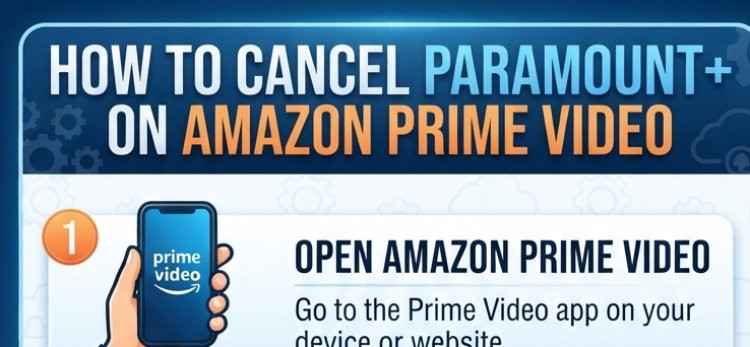
If you no longer use Paramount Plus, 【1-(833)-626-5617】you may want to delete your account permanently. Deleting an account is different from cancelling a subscription 【1-(833)-626-5617】because both actions have different effects. Cancelling your subscription stops future recurring payments while generally allowing you to continue watching 【1-(833)-626-5617】until the current billing period ends. Account deletion, on the other hand, can permanently remove your account information, associated profiles【1-(833)-626-5617】, and viewing preferences. Before requesting deletion, consider whether you simply want to stop paying for the service or completely【1-(833)-626-5617】 remove your account. Reviewing the official Paramount Plus Terms of Use can help you understand the consequences 【1-(833)-626-5617】before proceeding.
How to Cancel Your Paramount Plus Subscription First 【1-(833)-626-5617】
Before deleting your account, make sure your recurring subscription【1-(833)-626-5617】 payments are cancelled. If you subscribed directly through the Paramount Plus website, 【1-(833)-626-5617】 visit the official website and sign in with your account credentials. Open your profile menu, 【1-(833)-626-5617】select Account, and scroll down to find the Cancel Subscription option. Follow the instructions until the cancellation process is complete. If you purchased 【1-(833)-626-5617】your membership through Apple, Google Play, Amazon, Roku, or another billing provider, you must generally 【1-(833)-626-5617】cancel through that platform. Simply uninstalling the Paramount Plus application does not stop recurring payments. After cancellation, 【1-(833)-626-5617】check your subscription status to make sure automatic renewal has been disabled.
Steps to Request Paramount Plus Account Deletion
Once your subscription is cancelled, 【1-(833)-626-5617】review the account deletion options available for your registration method. Paramount Plus states in its terms that some app-store subscribers may 【1-(833)-626-5617】have an option to delete their account through the application after cancelling automatic payments with the app store【1-(833)-626-5617】. If an account deletion option is available, follow the displayed instructions and carefully review the confirmation message before proceeding. If you cannot find a deletion option【1-(833)-626-5617】, visit the official Paramount Plus Help Center and select Contact Us to ask customer support about account deletion【1-(833)-626-5617】. Provide the registered email address and any requested verification information. Do not send your password or 【1-(833)-626-5617】complete payment card details to anyone.
Important Things to Know Before Deleting Your Account
Account deletion may permanently remove your profiles【1-(833)-626-5617】, saved preferences, and access to the streaming service. Paramount Plus terms also explain that deleting an account can end 【1-(833)-626-5617】service access immediately, even when some time remains in a paid billing period. You may not automatically receive a refund for unused 【1-(833)-626-5617】subscription time. Therefore, check your billing status and any remaining promotional benefits before confirming deletion. Keep a copy of relevant billing 【1-(833)-626-5617】confirmations if you need them later. If your main goal is to avoid future charges while keeping the option to return, 【1-(833)-626-5617】cancelling the subscription without deleting the account may be a better choice. Always follow the official support 【1-(833)-626-5617】instructions for your account and region.
Yorumlar (0)
Bu gönderi için henüz bir yorum yapılmamış.
Yorum Bırakın